Mobile Apps Developer planning mobile app development for startup business projects

February 6, 2026

Mobile App Development for Startups: The Complete 2026 Guide

Most startups approach mobile app development the same way , find a developer, describe the    vision, and wait for something to launch. Most end up spending their budget twice. Once on the wrong approach, and again fixing everything that went wrong the first time.

This guide gives you the complete picture on startup mobile app development in 2026 , real costs, the decisions that actually matter, what professional teams do differently, and how to choose the partner that gets your app to market without burning through your runway. 


Why 99.5% of Mobile Apps Fail (And How to Not Be One of Them)

Only 0.5% of mobile apps reach meaningful commercial success. The 99.5% that fail are not mostly bad ideas , they are mostly good ideas executed badly. The patterns are consistent enough to predict:

No product-market fit. Founders build what they think users want rather than validating what users actually need. Discovery fixes this before a single line of code is written.

Poor user experience. The app technically works but feels confusing or slow. In 2026, users decide whether to keep an app in under 5 seconds , a laggy, clunky, or crashing app gets deleted with no second chances. 

Technical debt from cheap development. Code written to hit a budget rather than a standard requires expensive rebuilds within months.

No marketing strategy. Great apps die in obscurity every day. Building the app is only half the investment.

Running out of money before validating. The number one startup killer is not bad product , it is wasted development budget spent in the wrong order.

The founders who succeed treat app development as a business investment with a clear ROI framework, not a technical task to be completed as cheaply as possible.


The Real Cost of Mobile App Development for Startups in 2026

Understanding the cost of mobile app development is essential for startups planning their product roadmap and budget. In 2026, development costs vary widely depending on the app's complexity, platform, features, and integration requirements. A basic MVP designed for a single platform typically costs between $15,000 and $30,000 and can be developed in 2–3 months, making it ideal for validating a business idea quickly. A mid-level cross-platform application with features such as user authentication, push notifications, payment integration, and API connectivity generally falls within the $30,000 to $70,000 range and requires 3–5 months to build. For startups developing complex applications that include AI capabilities, real-time functionality, advanced security, compliance requirements, or large-scale integrations, costs typically range from $70,000 to $150,000 or more, with development timelines extending to 5–8 months. While pricing is an important factor, startups should also consider the development partner's technical expertise, scalability, code quality, and post-launch support. Investing in a well-planned, scalable application from the outset can reduce future development costs, accelerate product growth, and provide a stronger foundation for long-term business success.

The industry standard for app maintenance is 15–20% of the original development cost per year, covering OS updates, security patches, bug fixes, and feature additions. This ongoing cost is what most founders forget to budget for when comparing quotes.

The real cost comparison , freelancers vs. professional teams:

Freelancers look cheaper at $6,000–$20,000 upfront. But the hidden costs compound fast. One founder tracked 40 hours per week managing freelancers for 6 months , 960 hours of founder time spent on project management instead of sales, fundraising, or customers. At a $200 opportunity cost per hour, that is $192,000 in lost value before the app even launched.

Studies consistently show founders who hire cheaper freelancers often end up spending twice the original estimate due to rebuilds, quality failures, and integration problems.

Cost reduction strategies that don't sacrifice quality:

An MVP strategy that focuses only on core functionality , launching with 5–7 essential features rather than 25 , can reduce initial development cost by 30–50% while validating product-market fit with real users before a larger investment.

For most startups, choosing cross-platform mobile development over native (building separate iOS and Android apps) also delivers 30–40% cost savings with no meaningful difference in user experience for standard business applications.


Why Cheap App Developers for Startups Cost More in the Long Run

This is the most important section in this guide. Read it before you make any hiring decisions.

The Coordination Tax

You hire a designer, a backend developer, and an iOS developer separately. They have never worked together before. Nobody owns integration. Design files do not match API specifications. The iOS code does not follow maintainability standards. Nobody documented anything. Every week brings new problems because there is no unified workflow.

Professional app developers for startups solve this by default , teams already work together, use shared tools, and have established processes. The coordination happens invisibly, inside the team.

Technical Debt Multiplies

A freelancer writes code that works today. Six months later, you need to add features or fix a security issue. The code is unmaintainable. 95% of mobile apps fail basic security standards according to industry research, with network security, platform integration, and coding practices all having significant vulnerabilities. Freelancers building to a budget rarely think about this , they want to finish and get paid.

The cost shows up when you need to rebuild the entire codebase. The money you saved hiring cheap becomes the money you spend fixing it.

Delayed Launch Kills Market Advantage

Your competitor launches in 3 months with a professional team. You are still coordinating freelancers at month 9. Every month of delay is a month they build users, test assumptions, and iterate on real data. Speed compounds. Being late does not just mean fewer users , it means worse product decisions based on stale assumptions.


What Professional Mobile App Developers for Startups Do Differently

They Start With Discovery, Not Code

Most developers jump straight to building. Professional teams start by understanding your market, users, and business model. A fixed-priced Discovery process forces scope discipline before the first line of code is written , and is the single most reliable way to prevent budget overruns.

Discovery uncovers assumptions that need testing before you spend on development. It defines exact requirements so scope stays fixed. It aligns everyone on what success looks like before the team writes a single function.

Full-Stack Teams Eliminate Coordination Overhead

You get designers, frontend developers, backend engineers, QA testers, and product managers working as one integrated unit. No handoff delays. No integration surprises. One point of contact for everything.

Fixed Scope Removes Budget Uncertainty

Professional mobile app development for startups should come with a fixed price and timeline defined after Discovery , not hourly rates that balloon as scope creeps. No surprise bills. You know exactly what you pay before development begins. This predictability matters enormously for startups managing tight budgets and investor expectations.

Production-Ready Code From Day One

Security is built in, not bolted on later. Code is documented and maintainable. When you need features at month 8, the architecture supports them rather than fighting them. Apps built on solid foundations do not need expensive rebuilds six months post-launch.

Post-Launch Support That Actually Responds

Launch day is the beginning, not the end. When iOS 20 breaks something, you need the team who wrote your codebase , not a fresh contractor reverse-engineering someone else's work. Professional mobile app development services include ongoing maintenance, update cycles, and support as a defined part of the engagement.


How to Choose the Right App Developers for Startups

The framework below applies whether you are evaluating agencies, freelancers, or offshore development partners.

1. Look for Startup-Specific Experience

Enterprise developers build differently than startup developers. Enterprise teams move slowly, follow rigid processes, and optimise for risk avoidance. Startups need speed, flexibility, and pragmatic trade-offs. Ask specifically: how many apps in their portfolio reached product-market fit? How many scaled to thousands of users? How many clients raised funding after launch?

2. Verify Full-Stack Technical Depth

Mobile application development for startups requires expertise across iOS, Android, backend systems, APIs, databases, and cloud infrastructure. Teams that only handle frontend or only handle backend create integration problems. Ask about their tech stack and whether they handle backend, DevOps, and deployment under one roof.

3. Check Their Discovery Process

Teams that skip discovery build the wrong thing. Ask what their process is before they write code. They should ask hard questions about your assumptions, challenge features that do not serve core value, and help you prioritise ruthlessly. If a team promises to start coding immediately after a brief requirements call, that is a warning sign.

4. Understand Their Post-Launch Commitment

Ask specifically: how do they handle maintenance after launch? What is their response time for critical bugs? Do they offer support packages? Can they scale infrastructure as you grow? Teams that disappear after launch leave you managing a codebase you did not build.

5. Evaluate Communication and Transparency

For startups working with offshore development teams especially, communication processes matter as much as technical skills. Daily standups, sprint reviews, and clear documentation prevent the expensive misunderstandings that cause rebuilds. Read our guide on maintaining codebase control with offshore development teams to understand the processes that protect your investment.


Native vs. Cross-Platform: The Right Choice for Startup App Development

One of the biggest cost decisions in startup app development is choosing between native and cross-platform development. For most startups, this is straightforward in 2026.

Cross-platform frameworks like Flutter and React Native allow a single codebase to run on both iOS and Android, typically reducing development costs by 30–40% compared to native builds and delivering near-native performance that is indistinguishable to most end users. 

Native development (Swift for iOS, Kotlin for Android) is the right choice only if your app requires deep hardware integration, advanced AR/VR capabilities, or performance benchmarks that cross-platform cannot meet , which applies to less than 5% of standard startup applications.

For the vast majority of startup MVPs, SaaS tools, marketplace apps, and business applications, cross-platform is the smart, cost-effective default. Read our full guide on [cross-platform vs native mobile development] to understand which fits your specific use case.

You can also explore the best mobile app development software and frameworks for a detailed comparison of Flutter, React Native, Kotlin Multiplatform, and other options available to your development team.


Real Results: What Good Startup App Development Looks Like

One founder came to Techno Tackle after spending $30,000 on freelancers with nothing to show. We built their app in 12 weeks for less than they had already wasted. They launched, validated their market, and raised their seed round. The difference was not technical skill alone , it was a proven process, integrated teams, and accountability that freelancers cannot provide.

Another client needed a complex healthtech app: multiple user types, compliance requirements, and real-time data sync. Freelancers quoted 12 months and would not commit to compliance documentation. We delivered in 5 months, with full compliance. The app now serves thousands of users daily with no security incidents and no technical debt blocking new features.

The pattern repeats across every successful startup engagement: invest in proper development from the start, move faster, build better, and avoid the expensive rebuilds that kill runway.


How Do Startups Avoid Wasting Money on App Development?

This is one of the most common questions we hear from founders. The answer comes down to five decisions:

Build an MVP, not a finished product. Validate your core assumption with the minimum feature set before expanding. This is not about building something cheap , it is about building the right thing first.

Choose cross-platform from the start. Unless your app genuinely requires native-only features, build cross-platform and redirect the saved budget toward marketing, user acquisition, and iteration.

Hire a team with a fixed-scope process. Hourly billing with vague scope is how budgets explode. Fixed scope after Discovery is how they stay on track.

Budget for maintenance from day one. Plan for 15–20% of your development cost annually in maintenance. Do not launch without knowing who will handle your iOS update when Apple releases the next OS.

Do not manage developers , partner with them. Your job as a founder is building a business. If you are spending 40 hours a week managing freelancers, you are not doing your job. The right app development partner for startups manages the process and delivers results with you as a strategic stakeholder, not a project manager.


Build Your Startup App the Right Way with Techno Tackle

At Techno Tackle, we specialise in mobile application development for startups , from early MVP validation through to scaled production apps serving thousands of users. Our approach starts with Discovery, delivers at fixed scope and fixed price, and includes post-launch support as a defined commitment, not an optional extra.

We have built apps across healthtech, fintech, e-commerce, SaaS, and enterprise software. We know where startup app development goes wrong because we have seen it from both sides , failed freelancer projects we have rescued, and successful launches we have driven from day one.

Whether you need a full dedicated development team, staff augmentation to extend your in-house engineers, or a hybrid offshore model that keeps costs competitive without sacrificing quality, we have the engagement model that fits your stage and budget.

Ready to build your startup app right the first time? Book a free 30-minute strategy call with our team , no sales pitch, just an honest assessment of your requirements, timeline, and budget.

Read more
Staff Augmentation Staff augmentation vs outsourcing comparison for startups showing team control, flexibility, and cost differences in 2026

January 29, 2025

Staff Augmentation vs Outsourcing for Startups: 2026 Comparison Guide

Staff Augmentation vs Outsourcing for Startups: 2026 Comparison Guide

The US tech talent gap is no longer a future problem , it is a current constraint. In 2024 alone, hundreds of thousands of tech roles remained unfilled. For startups, this creates a forced decision point.

You either slow down. Or you extend your team outside the US.

That is where the staff augmentation vs outsourcing debate begins. And despite what many vendors claim, this choice has real consequences for speed, cost, and long-term control.

This 2026 guide breaks it down without fluff , so you can make the right call for your startup's current stage.


What Is Staff Augmentation vs Outsourcing? (The Real Difference)

These two models are often used as if they mean the same thing. They do not.

Software development staff augmentation means external developers join your team. They work inside your systems, follow your processes, attend your standups, and report to you. Functionally, they behave like in-house engineers , minus the hiring overhead.

Outsourcing means handing off responsibility. You define what needs to be built. The vendor decides how to build it. You receive deliverables, not daily visibility.

The difference is control. With staff augmentation, execution stays with you. With outsourcing, execution moves outside your company. That distinction becomes critical as your product evolves.


Staff Augmentation vs Outsourcing: 2026 Side-by-Side Comparison

Use this table to quickly evaluate which model fits your current situation:


Control Over Work

Staff Augmentation gives your business full control over daily tasks, priorities, and project execution because the augmented professionals work directly under your management. In contrast, with Outsourcing, the vendor manages the execution of the project, giving you less direct control over day-to-day activities. For organizations that want to maintain complete oversight, Staff Augmentation is the better choice.

Knowledge Retention

With Staff Augmentation, the knowledge gained throughout the project remains within your organization because external professionals collaborate closely with your internal team. In an Outsourcing model, much of the project knowledge stays with the vendor after the engagement ends. As a result, Staff Augmentation provides superior knowledge retention.

Speed to Iterate

Staff Augmentation enables rapid iteration because developers work as part of your agile team and can immediately respond to changing priorities. Outsourcing is generally slower when updates are required, as modifications often involve re-scoping the project and coordinating with the vendor. Therefore, Staff Augmentation offers a faster and more flexible development process.

Cost Compared to US Hiring

Compared with hiring developers in the United States, Staff Augmentation can reduce costs by approximately 30–50% while still giving you direct control over the team. Outsourcing can also lower costs by around 20–40%, although pricing may vary depending on the vendor and project scope. Overall, Staff Augmentation typically provides greater cost efficiency and value.

Best Suited For

Staff Augmentation is ideal for core product development, long-term initiatives, and ongoing projects where close collaboration and flexibility are essential. Outsourcing is better suited for fixed-scope projects, non-core business functions, and clearly defined deliverables. The right approach depends on your specific business objectives and project requirements.

Onboarding Requirements

Staff Augmentation requires onboarding external professionals much like full-time employees so they can integrate with your workflows, tools, and company culture. Outsourcing requires minimal onboarding because the vendor manages its own team and processes. For short-term projects where quick engagement is important, Outsourcing has an advantage.

Culture and Ownership

Staff Augmentation encourages stronger cultural alignment because augmented team members participate in meetings, sprint planning, and daily collaboration alongside your employees. Outsourcing teams generally focus only on delivering agreed-upon outcomes and have limited involvement in your organization's culture. For companies that value collaboration and ownership, Staff Augmentation is the stronger model.

Risk of Intellectual Property (IP) Leakage

Since augmented professionals work directly within your systems and security processes, Staff Augmentation presents a lower risk of intellectual property leakage. Outsourcing involves external teams handling project assets, which may increase the risk depending on the vendor's security practices and contractual agreements. Consequently, Staff Augmentation offers better protection for sensitive intellectual property.

Ideal Startup Stage

Staff Augmentation is particularly beneficial for startups from the Seed stage through Series B+, where continuous product development, rapid iteration, and team flexibility are critical. Outsourcing is often a better fit for Series A+ companies that need to complete isolated, well-defined tasks without expanding their internal teams. Ultimately, the best model depends on your startup's stage, growth strategy, and development needs.


When Staff Augmentation Wins for Core Product Development

If you are building your main product, offshore staff augmentation for startups is usually the safer bet. Here is why.

Knowledge Stays Inside Your Company

Augmented developers learn your domain, your users, and your technical trade-offs. That context compounds over time. When someone leaves, your team does not lose the logic behind past decisions.

Iteration Is Faster

Product direction changes weekly in early-stage startups. With software development staff augmentation, developers adapt immediately because they are already part of the conversation. Outsourcing requires re-scoping, approvals, and renegotiation.

Culture and Ownership Matter More Than Founders Expect

Augmented developers join standups, retrospectives, and planning sessions. They understand why things matter, not just what to build. That reduces rework and friction.


When Outsourcing Makes More Sense

Outsourcing can still be the right move, but only under specific conditions. It works best when the scope is stable and clearly defined.

Examples where outsourcing makes sense:

  • Data migration projects with defined inputs and outputs

  • Infrastructure setup (cloud provisioning, CI/CD pipelines)

  • A standalone mobile app with fixed requirements

  • Internal tools that will not evolve significantly

  • Compliance-heavy or DevOps-specific one-time migrations

The key requirement is clarity. If the problem is still evolving, managed IT outsourcing will slow you down.


Team as a Service vs Outsourcing: A Related Model to Understand

If you have come across the term 'Team as a Service' (TaaS), it sits close to staff augmentation but with a nuanced difference.

With TaaS, you engage a pre-assembled team , typically a product manager, developers, and a QA , as a packaged unit. Like staff augmentation, you retain control over direction. Unlike traditional outsourcing, the team operates as an extension of your company rather than as a separate delivery unit.

How does Team as a Service compare to outsourcing?

  • TaaS: Pre-built team, integrated into your workflow, you set priorities

  • Outsourcing: Vendor-assembled team, independent execution, you get deliverables

  • TaaS: Better for ongoing product development where team composition matters

  • Outsourcing: Better for time-bound, fixed-scope projects

For most US startups, TaaS and staff augmentation are more similar than different. Both keep control on your side. Outsourcing does not.


Hidden Costs That Change the Staff Augmentation vs Outsourcing Calculation

Most founders compare hourly rates. That is a mistake. The real costs show up elsewhere.

The Coordination Cost

Outsourcing demands heavy upfront documentation , specs, wireframes, acceptance criteria, and constant review cycles. Someone on your side must manage this full-time. With offshore staff augmentation, developers live inside your existing workflows. Less translation, less overhead.

The Quality Risk

Outsourced work often looks fine until it hits production. Edge cases surface late. Architectural mismatches appear after delivery. Fixes cost more because context is missing. With software development staff augmentation, quality control happens continuously through code reviews and feedback loops.

The Knowledge Transfer Problem

When startups eventually bring work in-house, outsourced systems are painful to absorb. New engineers must reverse-engineer decisions they were never part of. With staff augmentation, knowledge transfer is ongoing , your internal team already understands the system because they helped build it.


The Startup Scaling Phases Where This Decision Matters Most

Seed to Series A

This phase is about speed and learning. You are validating demand and refining your product. Staff augmentation usually wins here. You need senior talent without long-term hiring commitments. Offshore staff augmentation provides that leverage at a fraction of US hiring costs, without sacrificing control.

Series A to Series B

Core product work still benefits from software development staff augmentation. Outsourcing becomes viable for clearly scoped side projects like integrations or internal tools. Many successful startups use a hybrid model at this stage.

Series B and Beyond

Larger companies build stronger in-house teams. Offshore staff augmentation remains useful for rapid scaling, experimentation, or new product initiatives. Outsourcing shifts toward audits, performance tuning, and specialized compliance work.


How to Execute Offshore Staff Augmentation for Startups Without Regret

Start Small

Begin with one developer. Run a three-month pilot. Assign real work , not test tasks. Evaluate skills, communication, and ownership before scaling.

Onboard Seriously

Treat augmented developers like permanent hires. Poor onboarding is the fastest way to fail with offshore staff augmentation. Provide clear documentation, pair programming, and assigned mentors. The first two weeks set the tone.

Design Communication Intentionally

Time zones require structure. Define overlap hours and use them for decisions and collaboration. Document outcomes clearly so work continues smoothly async.

Hold the Same Standards

Measure augmented developers exactly like your internal team. Same expectations, same accountability. That is how you get real ownership.


FAQ: Staff Augmentation vs Outsourcing

1. What is the main difference between staff augmentation and outsourcing?

Staff augmentation adds external developers directly to your team under your management. Outsourcing delegates a project to a vendor who manages their own team and delivers results. The core difference is control , staff augmentation keeps it with you, outsourcing hands it over.

2. Is staff augmentation better than outsourcing for startups?

For core product development, yes. Staff augmentation gives startups control, faster iteration, and knowledge retention. Outsourcing is better suited for fixed-scope, non-core work where the requirements are locked in from day one.

3. How does offshore staff augmentation compare to providers like Turing or Tata Consultancy?

Platforms like Turing and Tata Consultancy offer large talent pools with varying integration models. The key question is: who manages the developer day-to-day? With TechnoTackle, our developers integrate directly into your team and report to you , you manage priorities, we handle hiring, payroll, and compliance. This is true top IT staff augmentation companies, not managed outsourcing.

4. What is staff augmentation in offshore outsourcing?

Offshore staff augmentation is a specific model where you hire developers based outside your country to work as extensions of your internal team. Unlike offshore outsourcing , where you hand off project ownership , offshore staff augmentation keeps project control with you while accessing global talent at lower cost.

5. What is 'Team as a Service' and how is it different from outsourcing?

Team as a Service (TaaS) is a model where a pre-built team (developers, PM, QA) integrates into your company as an ongoing extension. Unlike outsourcing, where a vendor delivers a finished product, TaaS teams work inside your workflow and adapt to your priorities. It is closer to staff augmentation than traditional outsourcing.

6. When should a startup choose outsourcing over staff augmentation?

Choose outsourcing when: (1) the scope is fully defined before work begins, (2) the project is non-core to your product, (3) you do not need the IP or institutional knowledge long-term, and (4) you have someone internally who can review deliverables without being embedded in daily execution.

Read more
Business Professional working on a laptop with AI lead qualification dashboard, showing automated lead scoring, filtering, and conversion insights for faster B2B lead generation.

January 21, 2026

AI Lead Qualification: How AI Agents Automate, Filter & Convert Leads Faster

If your sales team is working hard every day but still feeling behind, the problem is rarely effort. Most of the time, it is a lead quality problem , and AI lead qualification is the fastest way to solve it.

Contact forms fill up with spam, incomplete submissions, and low-intent enquiries that never convert. Yet teams still spend hours responding to every entry as if all of them are real opportunities. Meanwhile, the genuine prospects who submitted at 9am have already moved on to a competitor who responded within minutes.

In this guide, we break down exactly how AI agents are transforming lead qualification for B2B businesses: how the technology works, what it costs your business to ignore it, and how Techno Tackle builds custom AI lead qualification systems that clean your pipeline and accelerate your sales response.


What Is AI Lead Qualification?

AI lead qualification is the use of artificial intelligence , specifically AI agents built on large language models and AI automation services logic , to automatically assess, score, and route inbound leads based on their quality, intent, and relevance to your business.

Traditional lead qualification requires a human to read every form submission and decide: is this real? Is this relevant? Is this worth my time? AI lead qualification agents perform that same analysis instantly, at scale, across every submission your business receives , 24 hours a day.

Rather than just filtering spam with CAPTCHA or keyword blockers, a properly built AI lead qualification system understands context. It can determine that a message saying 'I need help with our tech stack for a 50-person team' is high intent, while 'great website, check out my SEO services' is noise. The difference between those two outcomes , for a B2B business , can mean the difference between a closed deal and a wasted afternoon.


How AI Agents Automate Lead Qualification Flows

The automation flow for AI lead qualification follows a structured sequence that runs entirely in the background. Here is how it works in practice when a prospect submits your contact form:

  • Instant capture: The form submission is captured in real time and pushed into an automation workflow , no human involvement needed at this stage.

  • AI analysis: The AI agent analyses the submission across multiple signals simultaneously: language intent, message clarity, email domain legitimacy, service relevance, and enquiry specificity.

  • Lead scoring: Based on analysis, the lead is assigned a quality score and classified , genuine high-intent lead, potential lead requiring follow-up, or low-quality/spam submission.

  • Pipeline routing: Genuine leads are immediately routed to your CRM, your sales team is notified, and a personalized acknowledgement email goes to the prospect , all within seconds of their submission.

  • Noise isolation: Spam and low-quality submissions are logged separately for review but never reach your sales team's active queue.

  • Automated follow-up: For medium-quality leads, the system can trigger a structured follow-up sequence to gather more information before escalating to a human.

This entire flow , from submission to classified, routed, and responded , happens in under 60 seconds. Without AI, the same process typically takes between 2 and 48 hours depending on your team's capacity.


The Real Cost of Contact Form Spam on Your Sales Pipeline

Most businesses underestimate what low-quality leads are actually costing them. The problem is not just time , it is momentum, speed, and competitive positioning.

Consider a typical B2B company receiving 100 form enquiries per month. If even 40% of those are spam, job applications, irrelevant requests, or competitor research, your sales team is spending significant time processing noise. Every hour spent on a fake lead is an hour not spent on a real one.

The hidden cost extends further. Studies consistently show that responding to a genuine B2B prospect within 5 minutes makes them significantly more likely to convert than responding within 30 minutes. When your team is buried in spam triage, response times to real leads slow down , and deals are lost silently, with no clear reason why.

This is where AI lead qualification creates immediate, measurable value. When the noise is removed automatically, your sales team's average response time to genuine enquiries drops dramatically , and win rates follow.


How AI Lead Qualification Agents Work: A Step-by-Step Walkthrough

An AI lead qualification custom AI agent development is not a simple keyword filter or a spam blocklist. It is an intelligent system trained to understand what a real, relevant enquiry looks like for your specific business.

At Techno Tackle, we build AI lead qualification agents that are configured around your business logic , your services, your audience, your typical deal types. The agent learns what a genuine enquiry from your ideal customer looks like and applies that understanding to every submission.


What the AI agent evaluates:

  • Message intent and specificity , is the person describing a real problem or request?

  • Email domain validation , is this a real business domain or a disposable address?

  • Relevance scoring , does the enquiry match your services and target audience?

  • Language pattern analysis , does the message read like a genuine business enquiry?

  • Completeness assessment, has the person provided enough information to indicate real interest?

  • Contextual signals , time of submission, geographic relevance, referral source

The system then takes action based on its assessment , routing, responding, alerting, or silently isolating , all without requiring your team to intervene on the front end of the process.


AI Lead Qualification vs. Traditional Lead Filtering: Key Differences

To understand the advantage, it helps to compare AI lead qualification directly against the conventional approaches most businesses currently rely on:

Speed

Traditional lead filtering often takes hours or even days because each lead must be reviewed manually by sales or marketing teams. An AI Lead Qualification Agent, on the other hand, evaluates and qualifies leads within seconds through fully automated workflows, enabling businesses to respond much faster.

Accuracy

Traditional lead filtering is prone to human error and inconsistent evaluation criteria, which can lead to missed opportunities or poorly qualified leads. AI Lead Qualification Agents apply consistent logic and predefined qualification rules to every lead, ensuring greater accuracy and standardized decision-making.

Spam Detection

Conventional lead filtering primarily relies on basic CAPTCHA verification and keyword-based rules to identify spam submissions. AI Lead Qualification Agents go much further by analyzing user intent, domain reputation, behavioral patterns, and contextual signals, allowing them to detect sophisticated spam while identifying genuine prospects more effectively.

Intent Understanding

Traditional lead filtering has limited understanding of user intent, typically relying on keyword matching without considering the overall context of a message. AI Lead Qualification Agents can interpret context, intent, and the meaning behind inquiries, enabling them to distinguish between casual inquiries and high-intent buying prospects.

Scalability

As lead volume increases, traditional lead filtering often becomes slower because additional leads require more manual effort and larger teams. AI Lead Qualification Agents can handle thousands of leads simultaneously without any significant reduction in speed or performance, making them highly scalable for growing businesses.

Response to Genuine Leads

In traditional systems, qualified leads may experience delays because responses depend on staff availability and queue position. AI Lead Qualification Agents provide instant, personalized acknowledgments and responses, improving customer experience while increasing the likelihood of converting high-quality leads.

CRM Integration

Traditional lead management frequently involves manual data entry, where sales teams transfer lead information into CRM systems, increasing the risk of errors and duplication. AI Lead Qualification Agents automatically create CRM records, update customer information, and route qualified leads to the appropriate sales representatives, eliminating repetitive administrative work.

Cost as Lead Volume Grows

With traditional lead filtering, operational costs generally increase in proportion to lead volume, requiring additional staff as more inquiries arrive. AI Lead Qualification Agents maintain a relatively fixed operating cost, allowing businesses to process hundreds or even tens of thousands of leads without significantly increasing expenses.

Continuous Improvement

Traditional lead qualification depends on ongoing employee training and process updates to improve performance. AI Lead Qualification Agents continuously learn from patterns, interactions, and historical data, enabling them to improve lead qualification accuracy and efficiency over time with minimal manual intervention.


The gap between these two approaches widens as your inbound volume grows. A business receiving 50 enquiries per month can manage with manual review. A business receiving 500 cannot , and that is exactly the growth phase where AI lead qualification becomes a competitive necessity.


Top Benefits of Using AI Agents for B2B Lead Generation

Businesses that implement AI lead qualification agents report consistent improvements across several key performance areas:

  • Faster response times: Genuine prospects receive a meaningful, personalized response within seconds of their submission, dramatically improving conversion rates and trust.

  • Cleaner pipeline: Your CRM and sales queue contain only verified, relevant leads , eliminating the cognitive load of constant triage and keeping your team focused on closing.

  • Lower cost per qualified lead: By removing the manual effort of sorting and verifying, the operational cost of processing each genuine lead drops significantly.

  • Consistent qualification criteria: Unlike human reviewers whose standards vary by mood, shift, or experience level, AI agents apply the same logic to every single submission.

  • Scalable without hiring: Whether you receive 100 or 10,000 form submissions, the AI agent handles the same volume without additional headcount.

  • Competitive advantage through speed: The business that responds first to a genuine B2B enquiry wins the conversation. AI lead qualification agents make your business the fastest responder in your market.

  • Improved sales team morale: Removing repetitive, low-value sorting tasks allows your sales team to focus on high-value conversations, which improves job satisfaction and retention.


Building Scalable Automation Workflows for Lead Management

AI lead qualification does not operate in isolation. Its real power comes from being embedded within broader automation workflows that connect your intake process to your sales, CRM, and communication systems.

A well-designed lead management automation workflow connects these components into a single, seamless system:

  • Form capture layer: Any contact form, chatbot, or inbound channel feeds submissions into a central workflow trigger.

  • AI qualification layer: The AI lead qualification agent assesses every submission and assigns a classification and score.

  • Routing layer: Based on classification, the workflow routes leads to the correct sales team member, territory, or service queue.

  • CRM integration layer: Qualified leads are automatically entered into your CRM (HubSpot, Salesforce, Zoho, or custom) with pre-populated fields and context notes.

  • Response layer: A personalized, contextually appropriate email goes to the prospect immediately , timed to match the nature of their enquiry.

  • Follow-up layer: If no response is received within a defined window, an automated follow-up sequence is triggered to re-engage the prospect.

  • Reporting layer: Lead quality trends, response times, and conversion metrics are tracked automatically, giving your team full visibility without manual reporting.


Techno Tackle designs these automation workflows to match your existing tech stack and sales process , not to replace your operations, but to make every part of them faster and more reliable.


Why Custom AI Lead Qualification Agents Outperform Generic Tools

Many off-the-shelf tools promise spam reduction and lead filtering. Most fail to deliver consistent results in real business environments because they are built for average use cases , not yours.

A generic spam filter checks for known bot signatures. A custom AI lead qualification agent understands what a genuine enquiry looks like specifically for your business, your services, and your ideal customer profile. These are fundamentally different capabilities.

Consider the difference in context:

  • A legal firm's ideal lead says: 'We need employment contract review for a team of 30'. A generic filter cannot recognize this as high intent.

  • A software development company's best prospects describe technical requirements upfront. An AI agent trained on your past leads knows this pattern.

  • A manufacturing supplier's genuine enquiries include product specifications. A custom agent flags these immediately; a generic tool treats them the same as any other message.

 The more specific your business context, the more value a custom AI lead qualification agent delivers over a generic solution. And the more it runs, the better it becomes , continuously refining its understanding of your ideal enquiry patterns.


Case Study: Faster Responses and a Cleaner Sales Pipeline

A growing B2B technology firm was struggling with declining response rates and a sales team frustrated by hours spent sorting inbound contact form submissions. A significant portion of their weekly submissions were spam, job applications, or off-topic enquiries , with genuine prospects buried in the noise.

Techno Tackle software development company designed and deployed a custom AI lead qualification agent integrated with their existing CRM and email system. The system went live within three weeks.

Results after 90 days:

  • Average response time to genuine leads dropped from 4.5 hours to under 2 minutes

  • Sales team time spent on lead triage reduced by over 70%

  • Qualified lead to booked call conversion rate improved by 40% due to faster, more personalized first responses

  • Pipeline clarity improved: the sales team knew every lead in their queue was worth pursuing

  • Zero genuine leads missed due to spam confusion , all high-intent submissions were correctly identified and escalated

The speed improvement alone , from 4.5 hours to under 2 minutes , was the single most impactful change. The business was now the fastest to respond in its market, consistently, without any increase in headcount.


FAQ: AI Lead Qualification

What is the difference between AI lead qualification and lead scoring?

Lead scoring assigns a numerical value to leads based on demographic or behavioural data (like job title, company size, or pages visited). AI lead qualification goes further , it analyses the actual content of an enquiry to assess genuine intent and relevance. Lead scoring tells you who a prospect is; AI lead qualification tells you whether their enquiry is real, relevant, and worth acting on now.

How to automate lead qualification with AI in 2025 and 2026?

The most effective approach is to build a custom AI lead qualification agent connected to your contact forms, CRM, and email systems via automation workflows. The agent assesses each submission using natural language understanding, routes qualified leads to your sales team instantly, and triggers response sequences automatically. Tools like n8n, Make, or custom-built pipelines are commonly used for the workflow layer, with LLM-based agents handling the intelligence layer.

What does an AI lead qualification agent actually analyse?

A properly configured AI lead qualification agent evaluates: message intent, email domain legitimacy, relevance to your services, language patterns indicating genuine vs. bot origin, message completeness, and contextual signals like submission timing. Unlike keyword filters, it understands meaning , not just word presence.

Is AI lead qualification only for large businesses?

No. AI lead qualification is particularly valuable for small and mid-sized businesses where there is no dedicated lead triage team. A solo founder or a 5-person sales team benefits enormously from never having to manually sort form submissions , every minute saved on spam review is a minute that can go toward closing real deals.

How long does it take to implement an AI lead qualification system?

At Techno Tackle, a standard AI lead qualification agent integrated with a CRM and email system typically goes live within 2–4 weeks, depending on the complexity of the workflow and the number of integrations required. Basic implementations with a single form and CRM can be live in under two weeks.

Will the AI agent miss genuine leads?

No system is 100% perfect, but a well-configured AI lead qualification agent is significantly more accurate than human manual review, which is subject to fatigue, inconsistency, and time pressure. All submissions , including those flagged as low quality , are logged and accessible for audit. Your team retains full visibility and can override classifications at any time.

Read more
Managed Teams Managed IT Services Providers for UK Businesses: Cut IT Costs and Reduce Risk in 2026

September 23, 2025

Managed IT Services Providers for UK Businesses: Cut IT Costs and Reduce Risk in 2026

UK businesses are now spending 35% more on IT than they were two years ago. Rising software licensing costs, an ongoing cybersecurity talent shortage, and increasingly unreliable legacy infrastructure have pushed IT budgets beyond what most companies planned for , and many are struggling to regain control.

Managed IT services providers offer a direct response to this problem. Instead of reacting to IT failures as they happen, UK businesses that work with managed service providers (MSPs) move to a model of fixed monthly costs, proactive monitoring, and access to a full team of specialists , at a fraction of what building that capability internally would cost.

This guide explains how the model works, what it actually costs, and how to evaluate whether a managed IT services provider is the right move for your business in 2026.


What Is a Managed IT Services Provider?

A managed IT services provider (MSP) is a company that takes over the management of some or all of your IT infrastructure under a fixed monthly contract. This typically includes servers, networks, security systems, cloud environments, software applications, and end-user support.

The critical difference from traditional IT support is the model: rather than calling someone when something breaks and paying per incident, you pay a predictable monthly fee and the MSP takes proactive responsibility for keeping your systems running, secure, and up to date.

For UK businesses, this model has become particularly relevant as IT complexity has increased beyond what most internal teams , especially in small and medium-sized companies , can realistically manage alone.


Why UK Businesses Are Facing an IT Cost Crisis in 2026

Several converging pressures have made IT cost control one of the most urgent operational challenges for UK businesses this year.

Cybersecurity Costs Have Tripled

UK companies now allocate an average of 15% of their total IT budget to cybersecurity measures , three times the proportion from 2020. The threat landscape has shifted from opportunistic attacks on large enterprises to systematic, automated attacks on businesses of all sizes. A 150-person manufacturing company in Birmingham faces the same categories of threat as a 5,000-person financial services firm. The cost of defending against them, however, falls proportionally much harder on smaller organisations.

Software Licensing Is Unpredictable and Rising

Major software vendors have moved to subscription-based pricing with annual rate adjustments that businesses cannot predict or easily avoid. Some UK businesses have documented software cost increases of 40–50% over two years across Microsoft, Adobe, and Salesforce. Unlike a one-time hardware purchase, software costs now represent an ongoing and escalating commitment with little transparency.

Hardware Lifecycles Have Shortened

The average useful life of a server has dropped from seven years to four. Laptops and desktop computers now require replacement every three to four years rather than every five to six. This compression accelerates capital expenditure cycles and creates procurement pressure that many IT teams are not resourced to manage.

IT Talent Has Become Prohibitively Expensive

The average salary of a senior IT professional in the UK has increased by 28% since 2022. Recruitment fees for specialised IT roles frequently exceed £15,000 per hire. For most small and medium-sized UK businesses, hiring full-time specialists across network management, cybersecurity, cloud architecture, and help desk support is not financially viable , yet the need for those skills is real.


How Managed IT Services Providers Cut Costs for UK Businesses

The cost reduction from an MSP engagement works through five distinct mechanisms. Each is independent , together they typically produce savings of 25–40% compared to equivalent internal IT management.

1. Predictable Monthly Costs Replace Emergency Spending

The conventional IT management model is reactive. Hardware fails, a security incident occurs, a software renewal arrives without warning, or an urgent upgrade is required. Each of these events carries unpredictable costs that break budgets and force emergency decisions.

Managed IT services providers replace this with a fixed monthly fee that covers routine maintenance, 24/7 monitoring, and most support incidents. Businesses stop keeping contingency funds for IT emergencies and start forecasting their technology costs with the same confidence they apply to rent or payroll.

UK companies working with managed services providers report annual savings of 20–25% from the elimination of emergency repair costs and unplanned procurement alone , before any other efficiency gains are counted.


2. Volume Purchasing Passes Savings to You

A managed IT services provider serves dozens or hundreds of client businesses simultaneously. This scale gives them purchasing power that no individual company can replicate: volume-negotiated software licences, bulk hardware procurement, and enterprise-tier security tools that they spread across their client base.

The practical impact: an MSP may purchase Microsoft 365 licences at 40–60% below the rate available to an individual SME and pass those savings on as part of their service pricing. The same applies to cybersecurity tooling, backup infrastructure, and cloud services.


3. Enterprise-Grade Technology Without Enterprise-Level Capital

Advanced IT tools , comprehensive backup and disaster recovery systems, 24/7 security monitoring platforms, automated patch management , carry significant upfront and ongoing costs. A full enterprise backup and disaster recovery solution can cost a single business £50,000 or more to implement and maintain annually.

Through a managed services provider, the same capability is available as part of a monthly service package , the cost shared across the provider's client base. UK businesses access technology that would be unjustifiable as a standalone investment at a price point that fits within their operational budget.


4. On-Demand Access to Specialist Expertise

An individual senior IT professional in the UK now commands an average salary of £65,000–£90,000 depending on specialisation. A business that needs expertise across network management, cybersecurity, cloud architecture, database administration, and help desk support would need to hire five or more people to cover those disciplines at a combined cost of £350,000+ in salaries alone , before benefits, recruitment costs, or the risk of vacancies.

A managed IT services provider employs all of these specialists and makes them available to each client as required. A company that needs a database administrator for six hours per month to optimise their ERP system accesses that expertise through their MSP at a fraction of the cost of hiring the role.


5. Proactive Monitoring Prevents Expensive Downtime

The conventional break-fix IT support model means companies experience the full financial impact of every system failure before help arrives. The average cost of IT downtime for UK businesses ranges from £4,000 to £9,000 per hour depending on sector , a figure that includes lost productivity, delayed client deliverables, and potential data loss.

Managed IT services providers use continuous monitoring tools to identify failure indicators before they cause outages. A hard drive showing early signs of failure is replaced before it fails. A security vulnerability is patched before it is exploited. A performance degradation trend is addressed before it becomes a system crash.

UK businesses working with managed services providers consistently report 60–80% reductions in unplanned downtime compared to their previous IT management approach. At £4,000+ per hour, those prevented outages represent significant, measurable savings.


Managed IT Services Cost UK: What Does It Actually Cost?

Managed IT service costs in the UK vary depending on the level of support, cybersecurity requirements, and the complexity of your IT environment. In 2026, most providers charge on a per-user, per-month basis, making pricing predictable as businesses grow. Basic managed IT services, which typically include helpdesk support and system monitoring, range from £25–£45 per user per month and are suitable for small businesses with straightforward IT needs. Standard plans, which add cybersecurity protection, backup, and business continuity services, generally cost £50–£80 per user per month, offering a balanced solution for growing organizations. Businesses requiring comprehensive managed IT services—including cloud management, advanced security, strategic IT consulting, and virtual CIO (vCISO/vCIO) services—can expect to pay £90–£150 per user per month. While pricing is an important consideration, organizations should also evaluate the provider's service quality, response times, cybersecurity expertise, proactive monitoring capabilities, and scalability. Choosing the right managed IT partner can reduce downtime, strengthen security, improve operational efficiency, and deliver long-term value that extends well beyond the monthly subscription cost.


What drives cost variation:

  • Number of users and devices under management

  • Whether the contract includes 24/7 or business-hours-only support

  • Level of cybersecurity coverage (basic monitoring vs full SOC)

  • Cloud management inclusion and complexity

  • On-site vs fully remote support requirements


MSP vs. Internal IT Team: Which Is More Cost-Effective for a 25-Person UK Business?

For small and mid-sized businesses, deciding between building an in-house IT team and partnering with a Managed Services Provider (MSP) often comes down to balancing cost, expertise, and long-term value. Hiring an internal IT team requires significant investment in salaries, software licensing, security tools, backup solutions, and ongoing maintenance, with annual costs that can exceed £180,000 for a 25-person business. Additional expenses such as emergency repairs, system downtime, and infrastructure upgrades can further increase the total cost while remaining difficult to predict. In comparison, a Managed Services Provider typically bundles essential IT services—including helpdesk support, cybersecurity, backup and disaster recovery, proactive monitoring, and software management—into a predictable monthly fee. This approach not only reduces annual IT spending but also gives businesses access to a wider range of technical expertise without the overhead of recruiting and managing an internal team. Beyond cost savings, MSPs help improve system reliability, strengthen cybersecurity, minimize downtime through proactive maintenance, and provide scalable support as the business grows. For many SMEs, outsourcing IT management delivers a more efficient, flexible, and cost-effective solution than maintaining a full in-house IT department.


Managed IT Services for UK Small Businesses: Is the Model Right for You?

The case for managed IT services is strongest for UK businesses in specific situations. Understanding where the model delivers the most value , and where it may not fit , is essential before committing to a provider relationship.

Managed IT services make most sense when:

  • Your business has between 10 and 500 employees and cannot justify a full internal IT department across all required disciplines

  • Your IT costs are unpredictable and regularly exceed budgeted amounts

  • You have experienced a security incident, significant downtime, or failed hardware in the past 12 months

  • Your current IT support is reactive , you wait for things to break before getting help

  • Your team spends management time dealing with IT issues rather than core business activities

  • You are planning a cloud migration, digital transformation, or significant infrastructure change and need expertise you do not have internally

Managed IT services may not be the right fit when:

  • Your business has highly specialised or proprietary IT requirements that general MSPs cannot support

  • You operate in a regulated environment (financial services, healthcare) with compliance requirements that need dedicated internal oversight alongside any outsourced IT

  • Your IT environment is simple enough that a single part-time internal resource can manage it without recurring issues

For most UK SMEs in the 25–250 employee range, the managed services model provides better IT capability at lower cost than any realistic internal alternative. 

staff augmentation vs outsourcing


Enterprise-Grade Cybersecurity at Affordable Prices

Cybersecurity is the single area where managed IT services providers deliver the most disproportionate value relative to cost for UK small and medium-sized businesses.

Building and maintaining an effective internal cybersecurity capability requires:

  • Continuous 24/7 monitoring of network traffic and security events

  • Certified security professionals who can respond to incidents in real time

  • Up-to-date threat intelligence and tool maintenance

  • Regular penetration testing and vulnerability assessments

  • An incident response plan that has been tested

For a standalone UK business, this capability would cost £200,000–£400,000 per year to maintain at enterprise standard. Through a managed IT services provider with a Security Operations Centre (SOC), the same protection is available as part of a monthly service package , often for £20,000–£60,000 per year depending on business size.

The UK's National Cyber Security Centre (NCSC) reports that over 50% of UK businesses experienced a cyberattack or security breach in 2024. The average cost of a breach for a UK SME, including downtime, remediation, and reputational impact, exceeds £25,000. For businesses without adequate security coverage, a single incident can cost more than two years of MSP fees.


Cloud Migration and Management: Where MSPs Prevent Costly Mistakes

Cloud computing offers genuine cost savings and operational benefits , but realising those benefits requires expertise that most UK businesses do not have internally. Poorly planned cloud migrations produce cost overruns, security gaps, and performance problems that negate the potential savings entirely.

Common cloud cost mistakes UK businesses make without MSP guidance:

  • Over-provisioning: Paying for cloud resources sized for peak demand that runs for two hours per day , the rest of the time the cost is wasted

  • Redundant services: Subscribing to overlapping cloud services that do the same job across different departments without central visibility

  • Unoptimised storage: Retaining data in high-performance storage tiers when it would be equally accessible in archival tiers at 80% lower cost

  • Shadow IT proliferation: Departments adopting cloud tools independently, creating security vulnerabilities and untracked costs that appear on credit card statements rather than IT budgets

UK businesses that work with managed services providers on cloud management report 25–40% lower cloud infrastructure costs compared to self-managed cloud environments. These savings compound over time as the MSP continuously optimises configurations rather than setting them once and moving on.


How to Choose the Right Managed IT Services Provider in the UK

Not all MSPs are equal. Choosing the wrong provider locks you into a contract with inadequate service levels and limited recourse. Evaluating providers on the right criteria prevents this outcome.

What to assess when comparing UK managed IT services providers:

Service scope: Does the provider cover everything you need , network, security, cloud, helpdesk, and compliance , or are there gaps that require additional suppliers?

Response time commitments: What are the contractually guaranteed response times for different severity levels? How are priority incidents defined and escalated?

Security certifications: Does the provider hold ISO 27001, Cyber Essentials Plus, or SOC 2 certification? These are minimum credibility indicators for a provider handling your IT security.

UK data residency: If data residency is important for your business (financial services, healthcare, public sector), confirm that your data is stored and processed within the UK or EU.

Transition process: How does the provider handle the transition from your current IT setup? What documentation do they produce? How long does the transition period take? A reputable provider has a structured onboarding process, not an ad-hoc one.

Contract flexibility: What are the minimum contract terms and the notice period for termination? Fixed long-term contracts with heavy exit penalties are a risk flag. Reputable MSPs are confident enough in their service quality to offer reasonable exit terms.

References from UK businesses in your sector: Ask for references from businesses of similar size and industry. IT requirements vary significantly between a professional services firm and a manufacturing company , a provider experienced in your sector will understand your specific needs without a long learning curve. managed teams vs outsourcing


Making the Transition: What to Expect

The transition from internal IT management to a managed services provider relationship is a structured process that typically takes 30–90 days depending on the complexity of your IT environment. how to integrate external IT teams into your existing operations. how to integrate external IT teams into your existing operations

Phase 1 , Audit and documentation (weeks 1–3): The MSP conducts a complete audit of your existing infrastructure: hardware, software licences, network configuration, security posture, and current service levels. This produces the documentation that becomes the foundation of your service agreement and the MSP's management responsibility.

Phase 2 , Stabilisation (weeks 4–8): The MSP addresses immediate vulnerabilities or infrastructure weaknesses identified in the audit before assuming full management responsibility. This phase often produces quick wins , security gaps closed, software licenced correctly, hardware scheduled for replacement , that justify the transition investment before the contract month one is complete.

Phase 3 , Full management (from week 8–12 onward): The MSP assumes full operational responsibility under the agreed service levels. Your internal contact shifts from managing IT issues to reviewing monthly service reports and discussing strategic IT decisions.

The most effective transitions happen when the client business is actively involved in the audit phase, provides honest access to all systems and documentation, and sets realistic expectations about the timeline. Attempting to rush the transition to cut costs typically extends it.


TechnoTackle: Managed IT Services for UK Businesses

TechnoTackle provides managed IT services to UK businesses that need reliable, secure, and cost-effective technology management without building an internal IT department.

Our service model is built around fixed monthly pricing, proactive monitoring, and direct access to specialists across network management, cybersecurity, cloud infrastructure, and end-user support. We work primarily with UK businesses in the 25–250 employee range , the segment where the gap between IT requirements and internal capability is widest, and where managed services deliver the most significant value.

We start with a free IT cost analysis that compares your current IT spending , including hidden costs , against what a managed services engagement would cost. Most UK businesses we work with find that managed services cost 30–50% less than their current approach when all costs are accounted for accurately.

Top IT companies for managed services and staff augmentation in the UK


Frequently Asked Questions

What is a managed IT services provider? A managed IT services provider (MSP) is a company that manages your IT infrastructure under a fixed monthly contract , covering servers, networks, security, cloud environments, software, and end-user support. Unlike traditional IT support, the MSP takes proactive responsibility for keeping your systems running and secure rather than responding after failures occur.

How much do managed IT services cost for UK businesses? Typical UK managed IT services pricing ranges from £25–£150 per user per month depending on service scope. For a 25-person business, comprehensive managed IT services typically cost £15,000–£45,000 per year , significantly less than the £180,000–£260,000 cost of equivalent internal IT capability when all costs are included.

What is included in a managed IT services contract? Standard managed IT services contracts include infrastructure monitoring, helpdesk support, security management, software patch management, backup and disaster recovery, and regular service reporting. Comprehensive contracts also include cloud management, virtual CISO services, compliance support, and on-site visits.

Are managed IT services right for small UK businesses? Yes , managed IT services are most cost-effective for UK businesses with 10–500 employees. Small businesses gain access to a full team of specialists at a cost that is a fraction of hiring internal expertise. The model works best when your current IT costs are unpredictable, your support is reactive, or you have experienced security incidents or significant downtime.

How do managed IT services reduce IT costs? MSPs reduce IT costs through five mechanisms: replacing unpredictable emergency spend with fixed monthly fees, passing volume purchasing savings to clients, providing enterprise technology at shared cost, giving on-demand access to specialist expertise without full-time salaries, and preventing expensive downtime through proactive monitoring.

How long does it take to transition to a managed IT services provider? Most UK businesses complete the transition in 30–90 days. The process involves an initial infrastructure audit, a stabilisation phase addressing identified vulnerabilities, and then full managed services operation. The timeline depends on the complexity of your existing IT environment and the responsiveness of your team during the audit phase.

What certifications should I look for in a UK managed IT services provider? Look for ISO 27001 (information security management), Cyber Essentials Plus (UK government-backed cybersecurity standard), and SOC 2 compliance. These certifications confirm that the provider operates to recognised security standards and has undergone independent verification. For regulated industries, also check sector-specific accreditations relevant to your compliance requirements.


Read more
Business Why skilled developers quit jobs and actionable strategies companies can use to retain them

August 1, 2025

Why Your Top Developers Are Quitting & How To Stop Them

Why Do Developers Leave Companies And How To Prevent It?

Last month, I watched a brilliant senior developer, someone who'd built critical systems and mentored junior teammates, quietly update their LinkedIn status to "Open to Work." Three weeks later, they were gone. Does this scenario sound familiar?

The statistics from McKinsey's 2022 study during the Great Attrition period are alarming: 66% of professionals in India actively seek new jobs within 3-6 months; Singapore follows at 49%, while the US sits at 40%. These aren't just numbers; they represent the potential collapse of institutional knowledge and project continuity.

Over the fifteen years that I have been establishing and growing engineering teams, some companies have bled developer talent, and others have been attracting the best developers. The distinction is not what everyone would necessarily think it is. It seldom has to do with ping pong tables or free snacks. It goes to something much deeper: the way to look at the developers as professionals, not mere code-generating factories.

Now, the real question is, let us get into the reasons (why your best people are leaving) and, much more importantly, how to make an environment where they want to stay and develop well.


The Hidden Exodus: Why Top Talent Leaves Quietly

The best developers don't storm out dramatically. They don't send company-wide emails about their frustrations. They simply disappear. One day, they're contributing to architecture discussions; the next day, they're serving their two weeks' notice.

This silent exodus is particularly dangerous because these developers often serve as the institutional memory of your systems. When they leave, they take with them not just their coding skills but deep knowledge of why certain decisions were made, where the technical debt lives, and how different systems interact.

The real tragedy? Most of these departures are preventable. Research from Stack Overflow's annual developer survey reveals that 73% of developers who leave cite "lack of career development opportunities" as a primary factor, while 65% mention "poor management" and 61% point to "unrealistic deadlines and expectations."

These aren't compensation issues; they're culture and leadership issues.


The Five Silent Killers of Developer Retention

1. The Constant Context Switching Epidemic

Picture this: Your senior developer starts Monday morning focused on architecting a new microservice. By 10 AM, they're pulled into an "urgent" bug fix. By noon, they're explaining technical concepts to stakeholders in a meeting that could have been an email. By 3 PM, they're reviewing code for three different projects. By 5 PM, they haven't written a single line of necessary code.

This scenario plays out in countless organizations daily. Developers thrive on deep work, the ability to enter flow states where complex problems become solvable. When organizations treat developers as interchangeable resources to be shuffled between focuses, they destroy the very conditions that make great work possible.

The best developers recognize their worth. They know that elsewhere, they could spend 70% of their time on important development work instead of 30%.


2. The Promotion Paradox: Punishing Excellence

Here's a cruel irony I've witnessed repeatedly: we promote our best developers into management roles, then wonder why they're miserable. Not every excellent developer wants to manage people, attend budget meetings, or conduct performance reviews. Many simply want to solve increasingly complex technical challenges.

Companies that only offer upward mobility through management create a false choice: accept a role you don't want or stay stagnant. Progressive organizations have learned to develop dual career tracks and technical leadership paths that offer advancement, compensation growth, and influence without requiring people management.


3. Technical Debt: The Motivation Killer

There is nothing that will degrade a good developer more than when one is forced to maintain and develop software that is held together by prayers and patch jobs. Unrestrained technical debt changes the problem-solving process into a frustrating work-around boondoggle.

I have witnessed entire teams leave a company when management refuses to allocate more time for refactoring. The quick solutions implemented are often deemed the right ones, and developers end up spending more time fighting with the code base than improving it. Technical debt is not only a code issue but also a retention issue.


4. The Micromanagement Trap

Developers are problem solvers by nature. They are accustomed to independence, finding their way, and being held accountable for long-term, second-dimensional decisions. However, most organizations treat them as factory laborers, closely monitoring their activities, requiring them to record time, and needing permission for even minor decisions.

This approach is particularly toxic for senior developers who've proven their competence repeatedly. When you hire someone for their expertise and then second-guess every decision, you're essentially saying, "We don't trust your judgment," despite paying them for precisely that judgment.


5. Innovation Stagnation: The Cutting-Edge Exodus

Curiosity is the most essential trait of the best developers. They demand to work with modern technologies, learn new frameworks, and react to new issues. Organizations that fail to develop their tech stack or capitalize on learning opportunities create an environment where growth-minded developers become professionally stagnant.

This does not imply the need to pursue every new JavaScript framework but means a plan toward technological development and to offer the developers the possibility to grow and develop their knowledge.


The Retention Revolution: Building Magnetic Development Cultures

Build Trust Through Transparency: The "No Questions Asked" Approach

Trust forms the foundation of retention, and it starts with the simplest interactions. One IT company in India revolutionized its culture by implementing a "no questions asked" leave policy. Instead of forcing employees to fabricate family emergencies for mental health days, they simply approve leave requests without interrogation.

The result? A 99% leave approval rate and the elimination of 50% of trust issues within their organization. When employees don't have to lie about needing time off, they reciprocate with honesty in other areas. This policy shift questions a fundamental truth: there is life outside work, and acknowledging this builds loyalty.


Create Performance-Based Financial Growth Beyond Salary

The most talented individuals step out in search of growth, which does not necessarily mean promotions; instead, it means achieving financial growth. Introduce performance-based incentive scripts that directly link client satisfaction with project success.

A working solution: High-performing developers should be incentivized by receiving a percentage of the monthly profits, with no ceiling. Some developers gain an extra $250-300 per month on this system. This is a positive circle wherein motivated developers become involved in significant projects, receive heavy bonuses, and remain longer in your company.


Provide Internal Freelance Opportunities

Rather than agreeing on contractual engagements with outside workers when there is a backlog, you can extend to your internal staff to work on a freelance basis. You can enable your developers to clock 2-3 overtime hours after regular working hours at an increment in payment to work on other projects.

This approach has multiple motivations. Firstly, it provides the proactive workforce with additional, multi-dimensional income sources, eliminates external hiring processes, and offers access to the knowledge and trust already established within the team. The trick is to make such chances voluntary, not obligatory, and to pay well.


Never Delay Salary Payments

This appears to be self-explanatory, but it is the largest complaint of 60 percent of developers who abandon companies. Financial reliability encompasses not only competitively sound wages but also the assurance that employees will receive regular payments as expected, enabling them to achieve a predictable financial future.

Importantly, set a date on which the payment is to be made and follow it religiously. Once workers know that their financial obligations can be fulfilled, they are more likely to remain working through the tough times. A single firm managed to retain a major client manager in the US only by ensuring on-time payments when his former company failed.


Implement Merit-Based Rapid Advancement

Traditional annual review cycles don't match the rapid skill development of motivated developers. Create systems for recognizing and rewarding exceptional growth immediately, not just annually.

When a fresher performs at a senior level within their first year, adjust their compensation to match their contribution, not their tenure. Some companies have successfully implemented up to 100% salary increases for developers who demonstrate advanced capabilities early in their careers.


Practice Intelligent Autonomy

Trust your developers to manage their own work while providing clear objectives and success metrics. Introduce an outcome-based management in place of micromanagement. Provide working hours that are flexible and do not conflict with personal commitments but do not jeopardize project deliverables.

This method is especially suitable when the parents must organize the school schedules or when there are different peak work times among the members of the team. The emphasis is no longer on time-based management but on a result-oriented evaluation.


Make in Skill Investment which Positions Confidence

Design training that addresses actual obstacles in career development. For world teams, this can be English communication training programs. In the case of technical teams, it may be emerging technology training.

The best mode is practice-based, non-perfectionist, and peer-learning, rather than theory-based, perfect, and instructional. Employees experience real growth when they achieve something they never thought possible. Thus, they have a sense of reawakening and will build some form of loyalty towards the organization that facilitated the process of change.


The Economic Result: Why Retention Pays

Let us mention figures. The cost to replace an experienced developer ranges between 75,000 and 150,000, considering the recruiting cost, onboarding process, knowledge transfer, and the loss of productivity. However, the invisible cost is higher: project delays, team demotivation, loss of knowledge, and adverse ripple effects on the team members who must stay back.

Companies with high developer retention rates are already 25% more productive, 40% less buggy, and provide features much faster. The longer a developer continues working, the better they learn the systems, have fewer architectural errors, and, as a result, can train lower-ranking team members better.


Red Flags: Early Warning Signs of Developer Flight Risk

Competent engineering managers learn to read the signs before programmers start looking for jobs:

Less participation in technical conversations: When engaged developers remain silent during architectural discussions, they're often mentally disengaged.

Resisting working on complicated projects: Keen developers who are now fond of completing simple tasks might be conserving their energy for searching for work.

More questions regarding career development: When coders begin asking more about career development, they are generally contrasting your organization with outside opportunities.

Reduced code input: A decrease in commits and pull requests from active developers is usually a sign of disengagement.

Social withdrawal: Emotional distancing can also be represented by developers who cease to engage in team activities or informal discussions.


Developing Your Retention Plan: A 90-Day Retention Plan

Days 1-30: Assessment and Quick Wins

  • Conduct anonymous surveys about developer satisfaction
  • Audit current interruption patterns and meeting loads
  • Identify and question immediate technical debt pain points
  • Review and clarify career progression paths


Days 31-60: Structural Changes

  • Implement protected focus time policies
  • Create technical debt repayment time planning
  • Develop or strengthen dual career tracks
  • Initiate one-to-one career development conversations


Days 61-90: Reinforcing Culture

  • Launch learning and development initiatives
  • Acknowledge and reward public technical excellence
  • Create developer advocacy programs
  • Measure and report retention metrics


The Future of Developer Retention and How to Achieve It

The technical talent war is not abating. Due to the increasing use of artificial intelligence and machine learning, the number of specialists working on such applications will continue to grow. The companies that manage to develop the environments in which developers flourish will not only retain their talent, but they will also attract the best talent away from their competitors.

These companies that will survive and perform well will be those that view developers as craftsmen rather than code machines. They will realize that the best software is created by interested, challenged, and respected developers who choose to remain because of being empowered to do the finest work.

Your top coders do not work for you; they are your digital future designers. Treat them in this way, and they will create something great with you. Disregard their requirements and see them build the future somewhere different.

That is upon you. Take care, though, when deciding what your competitors are already doing. Email us at hello@technotackle.com to get the best skilled developers with below a 5% attrition rate.

Read more
Mobile Apps Expert guide to selecting the mobile app tech stack for scalability, performance, and business success.

June 4, 2025

How to Choose the Right Mobile App Tech Stack for Your Business in 2026

Choosing the wrong mobile app tech stack is one of the most expensive mistakes a business can make in product development. Rebuilding an app's technical foundation after launch , because the original stack couldn't scale, lacked platform performance, or cost too much to maintain , typically costs 60–80% of the original build budget and adds 6–12 months to your timeline.

This guide covers the key factors that determine the right mobile app technology stack for your specific business requirements: performance needs, team capability, budget, timeline, and long-term scalability. It includes a comparison of the most widely used stacks in 2026, with real cost data and a framework for making the final decision.


What Is a Mobile App Tech Stack?

A mobile app tech stack is the combination of technologies , programming languages, frameworks, databases, and cloud infrastructure , used to build and run a mobile application. Every app has a tech stack, whether it was chosen deliberately or by default.

Understanding the components helps you evaluate options with clarity rather than deferring entirely to developer preference.

The four layers of a mobile app tech stack:

Frontend (client layer): The code that runs on the user's device and determines what they see and interact with. This is where the native vs cross-platform decision lives , Swift or Kotlin for platform-native apps, React Native or Flutter for cross-platform, Ionic or Cordova for hybrid.

Backend (server layer): The infrastructure that processes data, runs business logic, and powers the app's functionality. Common choices include Node.js, Python (Django or FastAPI), Ruby on Rails, and Go. For simpler apps, Backend-as-a-Service platforms like Firebase or Supabase reduce complexity significantly.

Database layer: Where your app stores and retrieves data. Relational databases (PostgreSQL, MySQL) handle structured data with complex relationships. NoSQL databases (MongoDB, Firebase Firestore) handle flexible, unstructured data and scale horizontally with less friction.

Cloud and infrastructure layer: Where your app runs. AWS, Google Cloud, and Microsoft Azure dominate enterprise deployments. For startups and early-stage products, managed platforms like Vercel, Railway, and Heroku reduce operational complexity at the cost of some control.


How to Choose the Right Mobile App Tech Stack: 5 Decision Factors

The right stack is not the most technically impressive stack. It is the stack that fits your business requirements, team capability, and budget reality , in that order.

Decision Factor 1: Project Scope and Timeline

Your development timeline directly narrows your stack options. Cross-platform frameworks like React Native and Flutter reduce development time by 30–50% compared to building separate native apps for iOS and Android. For businesses that need to launch on both platforms within 3–6 months, cross-platform is typically the only viable option.

The important caveat: cross-platform speed comes with trade-offs. Some apps built in React Native require platform-specific rewrites later as performance demands increase or platform guidelines change. A fintech startup that builds an MVP in React Native may find, 18 months later, that security requirements and platform performance standards necessitate a full or partial native rewrite , a process that takes 4–6 months and is not in the original budget.

Questions to resolve before choosing:

  • Do you need to launch simultaneously on iOS and Android?

  • Is time-to-market a competitive differentiator or can you afford a phased launch?

  • What is your tolerance for technical debt in exchange for speed?

  • Is this an MVP for validation, or a production app expected to scale immediately?


Decision Factor 2: Performance Requirements

Not all apps have the same performance demands. A content delivery or e-commerce app can tolerate slightly lower performance benchmarks. A real-time trading platform, a high-frame-rate gaming app, or an AR/VR experience cannot.

Native development , Swift for iOS, Kotlin for Android , consistently delivers 20–30% better performance than cross-platform equivalents because it has direct access to device hardware and platform-specific APIs without an abstraction layer. For most business apps, this difference is imperceptible to users. For apps with real-time data processing, complex animations, or hardware-intensive features, it is critical.

The hybrid approach used by large applications (Spotify uses native for its core music streaming engine but React Native for settings and profile screens) is worth noting for businesses building complex apps: you do not have to choose a single approach for the entire application.


Choosing the Right Frontend Framework Based on App Performance Requirements

Selecting the right frontend framework is one of the most important decisions in mobile app development, as performance requirements vary significantly by application type. For e-commerce platforms, content-driven applications, and social or community apps, cross-platform frameworks such as React Native and Flutter provide an excellent balance of performance, faster development, and lower costs. Enterprise productivity applications can also benefit from Flutter, although native development may be preferred when deeper platform integration is required. Apps that rely on real-time communication, such as messaging or video conferencing, demand higher performance and lower latency, making native development the recommended choice. For financial and trading applications, gaming, AR/VR experiences, and healthcare apps with device integration, where speed, security, hardware access, and responsiveness are critical, native development is essential to deliver the best user experience. Ultimately, the right technology stack should be chosen based on your app's functionality, performance expectations, scalability goals, and long-term business objectives rather than development cost alone.


Decision Factor 3: Team Expertise

Technology choices that require skills your team doesn't have add 2–3 months to your timeline and 25–40% to your development cost during the learning curve. This is real money and real time, not a theoretical risk.

Assess your team's current skills honestly before making a technology decision:

  • JavaScript/TypeScript developers: React Native is the natural extension. Flutter requires learning Dart, which has a moderate learning curve for JS developers.

  • Mobile specialists: If you have iOS or Android developers, native development leverages their existing expertise without retraining cost.

  • Full-stack web developers: React Native or Flutter, depending on background. Backend-as-a-Service options reduce the backend learning curve significantly.

  • No existing mobile expertise: Consider a specialist agency or staff augmentation rather than internal development , the hidden cost of internal teams learning mobile development from scratch frequently exceeds the cost of bringing in experienced practitioners.


Decision Factor 4: Scalability Planning

The Instagram case study is worth examining specifically: Instagram was built on Django and PostgreSQL and scaled from zero to 100 million users on that foundation. But Instagram also had exceptional engineering talent managing that stack. Most businesses do not. The lesson is not "use Django and PostgreSQL" , it is "cloud-native architecture, proper database design, and horizontal scaling capability matter from the start."

Scalability considerations by app type:

  • Consumer apps with unpredictable traffic spikes: Cloud-native architecture with auto-scaling is essential. AWS, GCP, or Azure with containerised deployment (Kubernetes or ECS) rather than fixed server infrastructure.

  • B2B enterprise apps with predictable loads: Managed infrastructure (RDS for databases, EC2 or equivalent for application servers) with well-defined scaling thresholds.

  • Apps with global user bases: Multi-region deployment and CDN integration from the architecture phase, not added later.

  • Data-heavy apps: Database choice at day one determines how painful scaling becomes. Choosing a NoSQL database for a use case that evolves to need complex relational queries is an expensive mistake to fix.


Decision Factor 5: Budget Reality

Your budget plays a major role in determining the type of mobile app you can build, but many businesses focus only on the initial development cost and overlook the ongoing expenses required to keep an app secure, updated, and competitive. In 2026, a simple MVP typically costs less and is ideal for validating an idea quickly, while mid-complexity applications with advanced features require a larger investment and longer development timeline. Complex enterprise-grade apps with extensive integrations, custom functionality, and scalable architecture demand a significantly higher budget but provide greater long-term business value. The choice of technology also affects costs—hybrid development is generally the most affordable option, cross-platform frameworks such as React Native and Flutter offer a balance between cost and performance, and native development delivers the highest performance and flexibility at a premium price. Beyond the initial build, businesses should budget 15–20% of the original development cost annually for maintenance, including security updates, operating system compatibility, bug fixes, performance improvements, and feature enhancements. Planning for both development and long-term maintenance from the outset helps avoid unexpected expenses, ensures a better user experience, and supports sustainable growth as your application evolves.


Hidden costs most businesses underestimate:

  • Third-party API and service costs (payment processing, analytics, notifications, maps) that scale with user volume

  • App Store and Google Play developer accounts and submission requirements

  • GDPR and data compliance costs if your app handles UK/EU user data

  • Performance monitoring and error tracking tools

  • Customer support infrastructure as users increase


Mobile App Technology Stack: Native vs Cross-Platform vs Hybrid

This is the most consequential decision in your tech stack selection. Every other choice flows from it.

Native App Development

Building separate applications in the platform's primary language , Swift or Objective-C for iOS, Kotlin or Java for Android.

Advantages:

  • Best possible performance and access to device hardware

  • Full access to platform-specific features and APIs as they are released

  • Highest fidelity to platform design guidelines , apps feel like they belong on the platform

  • Preferred choice for apps requiring tight hardware integration (camera, sensors, Bluetooth, NFC)

Disadvantages:

  • Two separate codebases to maintain , iOS and Android teams, separate sprints, separate releases

  • Higher initial development cost (typically 40–60% more than cross-platform)

  • Slower feature parity between platforms , a feature shipped on iOS may take weeks longer to ship on Android if teams are not synchronised

Best for: Apps where performance is critical, where platform-specific features are core to the product, or where the business has the budget and timeline for parallel native development.


Cross-Platform Development

cross-platform mobile development building a single codebase that compiles to native performance on both iOS and Android. The two dominant frameworks are React Native and Flutter. 

React Native:

  • Developed and maintained by Meta (Facebook)

  • Uses JavaScript/TypeScript , accessible to web developers

  • Large ecosystem, extensive third-party library support

  • Powers significant parts of Facebook, Instagram, and Shopify mobile apps

  • Limitation: JavaScript bridge to native APIs can introduce performance overhead in complex UI scenarios

Flutter:

  • Developed and maintained by Google

  • Uses Dart , a less common language with a learning curve for JS/Python developers

  • Compiles to native ARM code , performance closer to native than React Native

  • Consistent UI across platforms (renders its own widgets rather than using platform components)

  • Growing rapidly , now the most popular cross-platform framework by GitHub stars

  • Powers Google Pay, BMW app, and eBay Motors


React Native vs. Flutter: Which Cross-Platform Framework Should You Choose?

React Native and Flutter are the two leading frameworks for cross-platform mobile app development, but each offers distinct advantages depending on your project requirements. React Native uses JavaScript or TypeScript, making it an excellent choice for teams with existing web development expertise. It leverages native UI components, has a mature ecosystem, and benefits from a large developer community, enabling faster hiring and access to a wide range of third-party libraries. Flutter, on the other hand, uses Google's Dart programming language and compiles directly to native code, delivering superior performance and smoother animations. Its custom rendering engine provides consistent UI across both iOS and Android, making it ideal for applications where visual consistency and performance are top priorities. While Flutter has a slightly steeper learning curve, it continues to grow rapidly and is well suited for performance-intensive cross-platform applications. Ultimately, the best framework depends on your team's expertise, project complexity, performance requirements, and long-term maintenance strategy. React Native is often preferred for content-driven and business applications, while Flutter is an excellent choice for feature-rich apps that demand high performance and a polished user experience.


Hybrid App Development

Building a web application (HTML, CSS, JavaScript) that runs inside a native browser shell , giving it access to an app store distribution and some device APIs. Common frameworks: Ionic with Capacitor, Apache Cordova.

Advantages:

  • Lowest initial development cost

  • Fastest time to market for simple applications

  • Single codebase, web skills fully transferable

Disadvantages:

  • Noticeably lower performance than native or cross-platform

  • Limited access to device hardware

  • App store reviewers occasionally reject hybrid apps that don't meet platform experience guidelines

  • User experience often feels less polished than native equivalents

Best for: Internal enterprise tools where performance and UX polish matter less than cost; content-heavy apps where web performance is adequate; businesses testing demand before committing to a full native build.


Technology Stack for Mobile App Development: Proven Combinations

These stack combinations have consistent track records for specific business requirements. They are not the only options , they are the options with the deepest talent pools, most extensive documentation, and most third-party tooling support.

best mobile app development tools and software in 2026

The Fast MVP Stack

Use when: Validating demand before committing to a full build budget.

  • Frontend: React Native or Flutter

  • Backend: Node.js with Express, or Firebase for serverless

  • Database: Firebase Firestore or MongoDB Atlas

  • Cloud: Google Cloud Platform or AWS Amplify

  • Auth: Firebase Authentication or Auth0

  • Estimated build time: 6–16 weeks for a 10–15 screen MVP

Real-world example: A marketplace app with user profiles, listings, search, and basic messaging can be built to this spec in 8–12 weeks with a team of 2–3 cross-platform developers.


The Performance-First Stack

Use when: Your app requires real-time data, complex UI, or hardware integration.

  • Frontend: Native Swift (iOS) + Kotlin (Android)

  • Backend: Go or Node.js for high-performance APIs

  • Database: PostgreSQL with Redis caching for high-read workloads

  • Cloud: AWS with Kubernetes for container orchestration

  • Monitoring: Datadog or New Relic

  • Estimated build time: 20–40 weeks for equivalent feature set to Fast MVP Stack

Real-world example: A fintech payment app, real-time logistics tracker, or health monitoring app with Bluetooth device integration.


The Enterprise Stack

Use when: Security, compliance, integration with enterprise systems, and long-term maintainability are the primary requirements.

  • Frontend: Native with shared business logic layer (Kotlin Multiplatform)

  • Backend: Java Spring Boot or .NET Core

  • Database: PostgreSQL or Microsoft SQL Server

  • Cloud: Microsoft Azure or AWS with enterprise support agreements

  • Security: Regular penetration testing, ISO 27001 or SOC 2 compliance pathway

  • Estimated build time: 6–18+ months depending on integration complexity

Real-world example: An enterprise field service app that integrates with SAP, handles offline data sync, and requires GDPR-compliant data handling for UK and EU employees.


Mobile Apps for Businesses: What Decision-Makers Need to Know

Technical teams make technology decisions. Business leaders approve budgets and timelines. The gap between these two perspectives frequently produces expensive misalignments.

Full guide to building and launching

What business decision-makers should insist on before approving a tech stack:

Vendor and framework longevity: Is the framework actively maintained by a stable organisation? React Native is maintained by Meta. Flutter is maintained by Google. Angular is maintained by Google. These are safe bets. A smaller open-source framework with an uncertain maintenance roadmap introduces future risk that rarely appears in initial developer recommendations.

Talent availability for ongoing maintenance: Once your app is built, you need developers who can maintain and extend it. How many developers with this stack are available in your hiring market? A stack built on a niche framework may save money in year one and become a hiring problem in year two.

Total cost of ownership, not just build cost: The initial development budget is one year's cost. Maintenance, infrastructure, API costs, and future feature development will continue for the life of the product. A cheaper initial build that requires expensive specialists to maintain is often more expensive over three years than a slightly more expensive build in a mainstream stack.

Exit and transition options: If you need to switch agencies, bring development in-house, or significantly change direction, how difficult is that with the chosen stack? Mainstream stacks with large developer pools give you options. Proprietary or unusual technology choices limit them.


Best Technology for Mobile App Development: Common Mistakes to Avoid

These are the patterns that consistently add cost and delay to mobile app projects.

Technology FOMO

Choosing a framework because it is new, trending, or because another company used it , rather than because it fits your specific requirements , is one of the most common causes of unnecessary rebuilds. Blockchain, AI integration, and IoT connectivity add genuine value in specific contexts. Adding them because they are impressive rather than because they solve a real user problem adds cost and complexity without proportional benefit.

The test: Can you articulate in one sentence how this technology choice makes your specific user's experience better? If not, it may be technology FOMO rather than a strategic decision.


Over-Engineering the First Version

Building the infrastructure for 10 million users when you have 100 is a waste of development budget and time. Microservices architecture, distributed caching, multi-region deployment , these are the right choices at scale. They are an expensive distraction for an app still finding product-market fit.

Start with the simplest architecture that works correctly. Add sophistication when the data , user numbers, transaction volume, latency metrics , tells you that you need it, not when it feels responsible to prepare for it.


Ignoring Platform Guidelines

iOS and Android have specific, well-documented design and interaction guidelines. Apps that ignore them in favour of a fully custom design feel foreign to users on each platform and frequently fail App Store review for guideline violations.

Cross-platform frameworks have improved significantly at respecting platform conventions, but the responsibility for following guidelines lies with the development team, not the framework.


Underestimating Data Architecture

Database choices made in week one of development frequently become the most expensive technical decisions in the life of the product. A NoSQL database chosen for its flexibility in early development becomes painful when the product needs complex relational queries. A relational database chosen for structured data becomes a bottleneck when the app needs to store and query unstructured user-generated content at high volume.

Invest appropriate time in data modelling before choosing a database technology. The data structure your product needs in year two is usually predictable from a careful analysis of the product requirements in year one.


How to Make the Final Tech Stack Decision

Choosing the right technology stack is about finding the best fit for your business goals rather than simply selecting the most popular framework. A structured evaluation process helps ensure your decision balances technical requirements with long-term scalability and cost. Start by assessing how well each technology supports your project scope, delivery timeline, and core feature set, as these factors have the greatest impact on project success. Next, evaluate whether the stack can meet your application's performance expectations, especially if it includes real-time communication, AI capabilities, or hardware integrations. Consider your team's existing expertise to reduce onboarding time, development risks, and maintenance costs. You should also assess how well the technology can scale as your user base and feature requirements grow. Finally, compare the total cost of ownership—not just the initial development expense, but also ongoing maintenance, infrastructure, updates, and future enhancements. By scoring each option against these key criteria, businesses can make an informed, objective decision that aligns with their technical needs, budget, and long-term growth strategy.


How TechnoTackle Helps Businesses Choose the Right Mobile App Tech Stack

The technology decision is one of many things that needs to go right for a mobile app to succeed. Choosing between React Native and Flutter matters less than having a clear product specification, a realistic timeline, and a development team that has built similar products before.

TechnoTackle works with UK and US businesses to define their mobile app requirements, evaluate technology options against those requirements, and build production-ready mobile applications. Our team has experience across React Native, Flutter, and native iOS and Android development, which means our recommendations are driven by your requirements rather than our technology preferences.

If you are at the technology evaluation stage and want a direct assessment of which stack fits your specific product, [book a free 30-minute consultation →]. We will review your requirements and give you a clear recommendation with the reasoning behind it , not a sales pitch for a particular framework.


Frequently Asked Questions

What is a mobile app tech stack? A mobile app tech stack is the combination of programming languages, frameworks, databases, and cloud infrastructure used to build and run a mobile application. It includes four layers: frontend (what users interact with), backend (the server logic), database (data storage), and cloud infrastructure (where the app runs).

What is the best technology stack for mobile app development? There is no single best stack , the right choice depends on your performance requirements, team expertise, budget, and timeline. For most business apps requiring fast time-to-market on both iOS and Android, React Native or Flutter are the most practical choices. For apps requiring maximum performance or tight hardware integration, native development (Swift for iOS, Kotlin for Android) is the correct choice.

What is the difference between native, cross-platform, and hybrid mobile apps? Native apps are built separately for iOS (Swift) and Android (Kotlin) , best performance, highest cost. Cross-platform apps (React Native, Flutter) use a single codebase that compiles to near-native performance on both platforms , 30–50% faster to build, slightly lower performance ceiling. Hybrid apps run web code inside a native shell (Ionic, Cordova) , fastest and cheapest to build, lowest performance and UX quality.

How much does it cost to build a mobile app in 2026? A simple MVP with 5–10 screens costs approximately £25,000–£80,000 depending on whether you choose cross-platform or native development. Mid-complexity apps with 10–25 screens range from £50,000–£180,000. Complex enterprise apps with 25+ screens and system integrations can exceed £200,000. Annual maintenance costs typically run at 15–20% of the initial build cost.

Should I use React Native or Flutter for my business app? React Native is the better choice if your team has JavaScript expertise or if you need the largest possible ecosystem of third-party libraries. Flutter is the better choice if performance is a priority for a cross-platform build, or if you want more consistent UI across platforms. Both are legitimate choices for business apps , the decision should be driven by team expertise and performance requirements.

What mobile app tech stack is best for startups? For most startups prioritising speed and cost, React Native or Flutter with a Node.js backend and Firebase or PostgreSQL database is the most pragmatic choice. This combination gives you iOS and Android from a single codebase, a large developer talent pool, and enough scalability to reach significant user numbers before needing to rearchitect. If your startup's core product requires performance that cross-platform cannot deliver, invest in native from the start , a React Native to native rewrite is expensive.

How do I choose between a managed backend service and a custom backend? For MVPs and early-stage products, managed Backend-as-a-Service platforms (Firebase, Supabase, Appwrite) reduce development time and operational complexity significantly. As your product scales and your data and business logic requirements become more specific, the limitations of managed services often justify building a custom backend. The transition from managed to custom backend is planned, not avoided , design your data layer with that transition in mind from the start.

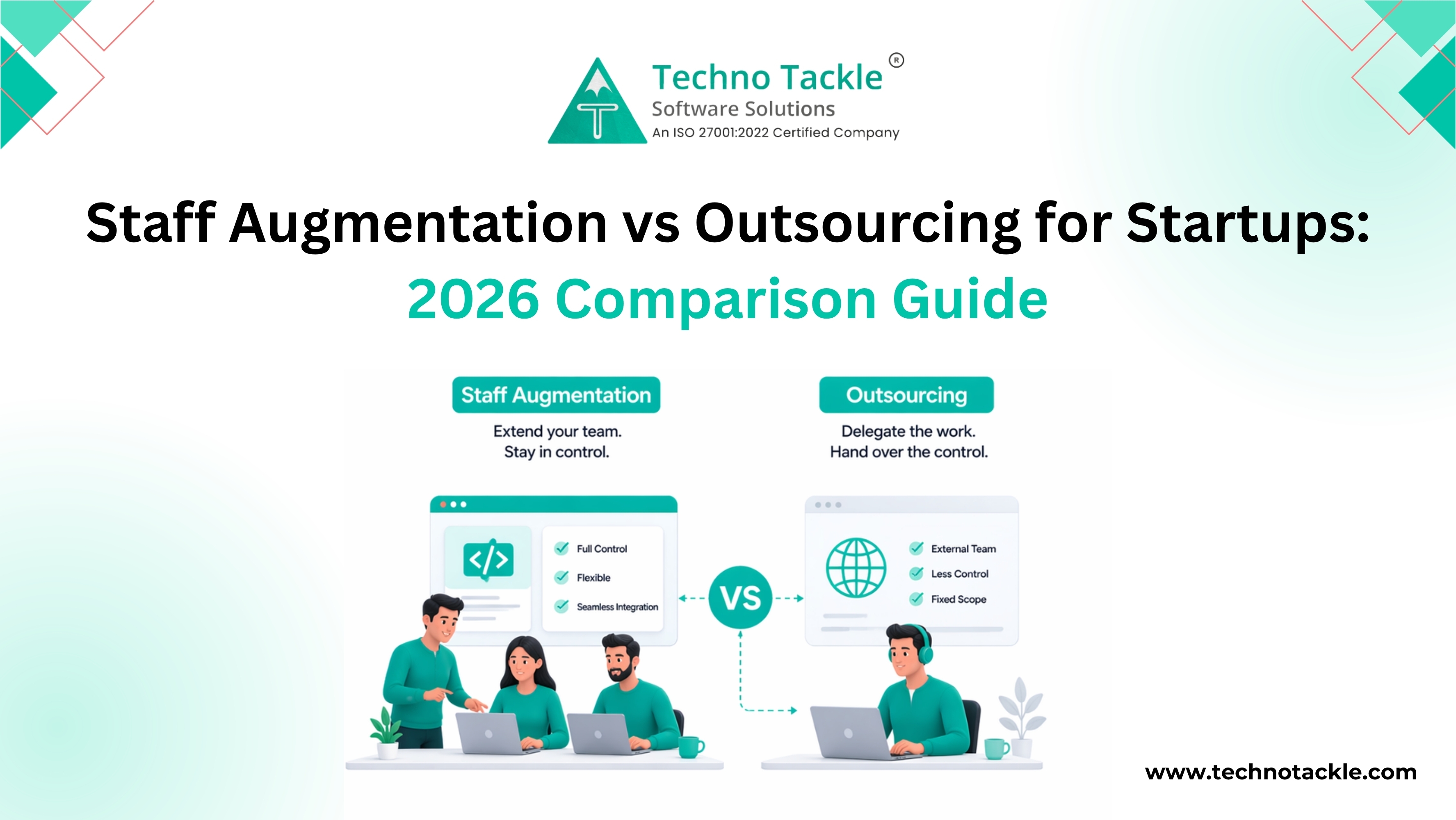
Read more

Don't Miss to Claim Your Free Consultation!

We love hearing from our clients and developing their ideas into digital reality. Our team is here to answer all of your questions and provide you with a wide range of IT services that enable you to develop your company.

I am a company

Looking for service

Looking for a Job?

Apply Here
INDUSTRIES